
Settings
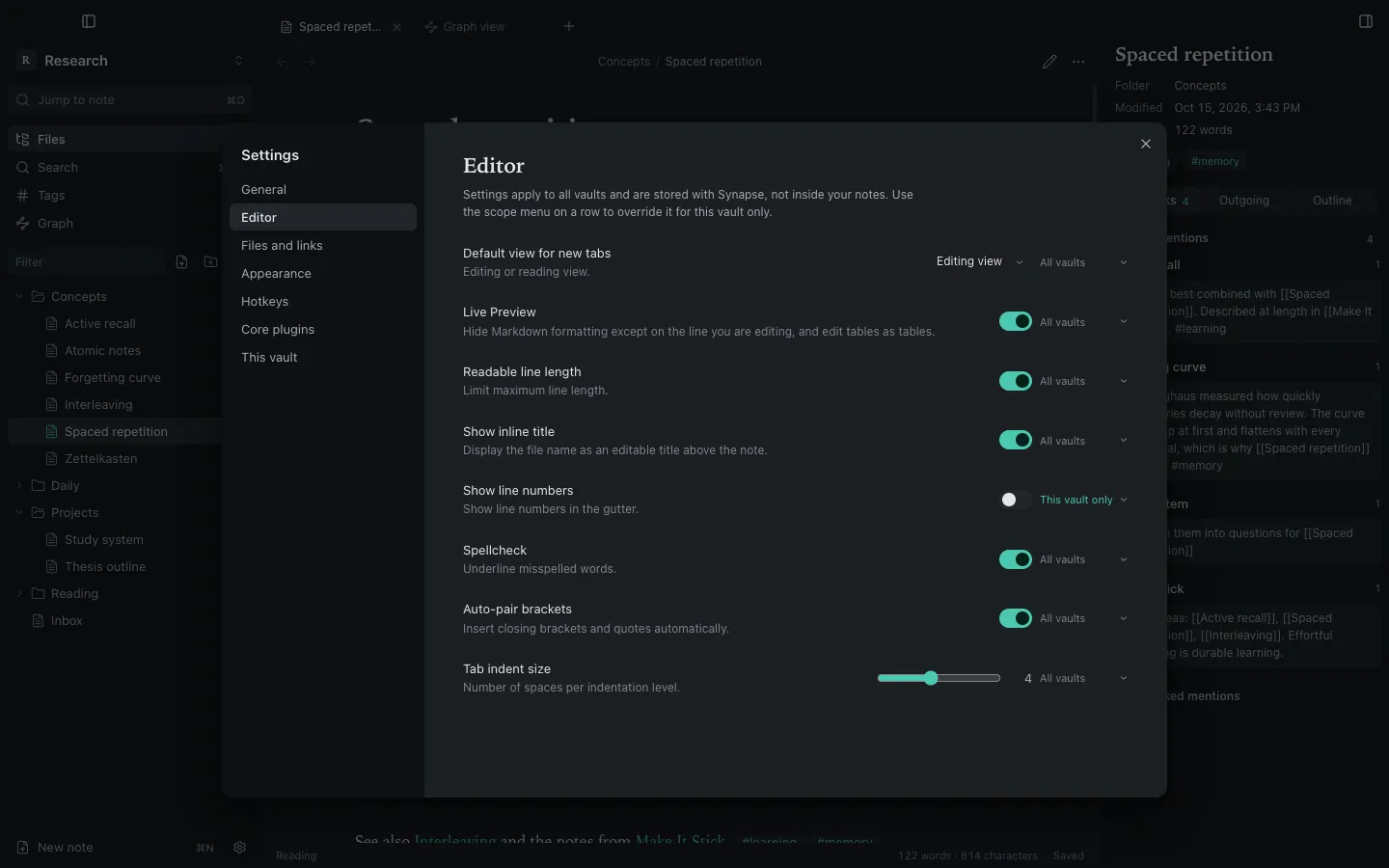
Open Settings with ⌘,.
Global first, vault when you choose
Section titled “Global first, vault when you choose”Synapse keeps your preferences global: theme, fonts, editor behaviour, language, hotkeys and the dock layout apply to every vault, and switching vaults never resets them.
Any preference can still be overridden for one vault. Each row has a scope menu, All vaults or This vault only. Precedence is:
defaults → global → vault override
Changing a preference while a vault overrides it changes only that vault. Removing the override falls back to the global value. Settings → This vault lists the overridden preferences and has Use global preferences to clear them all.
| What | Where it lives | Scope |
|---|---|---|
| Theme, fonts, editor behaviour, language, hotkeys, dock layout | ~/Library/Application Support/Synapse/settings.json |
All vaults |
| Recent vaults and window size | ~/Library/Application Support/Synapse/ |
App |
| Vault overrides, graph settings, attachment folder | <vault>/.synapse/settings.json |
One vault |
| Open tabs, panes and recent notes | <vault>/.synapse/workspace.json |
One vault |
Sections
Section titled “Sections”General: language, current vault, manage or close vaults, where settings are stored.
Editor: default view for new tabs, Live Preview, readable line length, inline title, line numbers, spellcheck, auto-pair brackets, tab indent size.
Files and links: confirm file deletion, default location for new notes, automatically update internal links.
Appearance: base colour scheme (light, dark or adapt to macOS), accent colour, text font, monospace font, font size and interface font size. An empty text font uses the macOS serif, New York.
Hotkeys: see Hotkeys.
Core plugins: see below.
This vault: the attachment folder, the overridden preferences and the plugin set for this vault.
Core plugins
Section titled “Core plugins”Built-in features can be turned off: Search, Backlinks, Outgoing links, Graph view, Tags view, Outline and Word count. By default the choice applies to all vaults; turn on Plugin set for this vault to keep a separate selection in one vault.
Third-party (community) plugins are not supported.
Language
Section titled “Language”The interface is available in English and Italiano. By default it follows the macOS language order; change it in Settings → General → Language. The menu bar and dialogs switch too.
Still stuck?
Check Troubleshooting or open an issue on GitHub with your Synapse and macOS versions.
MIT licence · Made for macOS