
Reading view
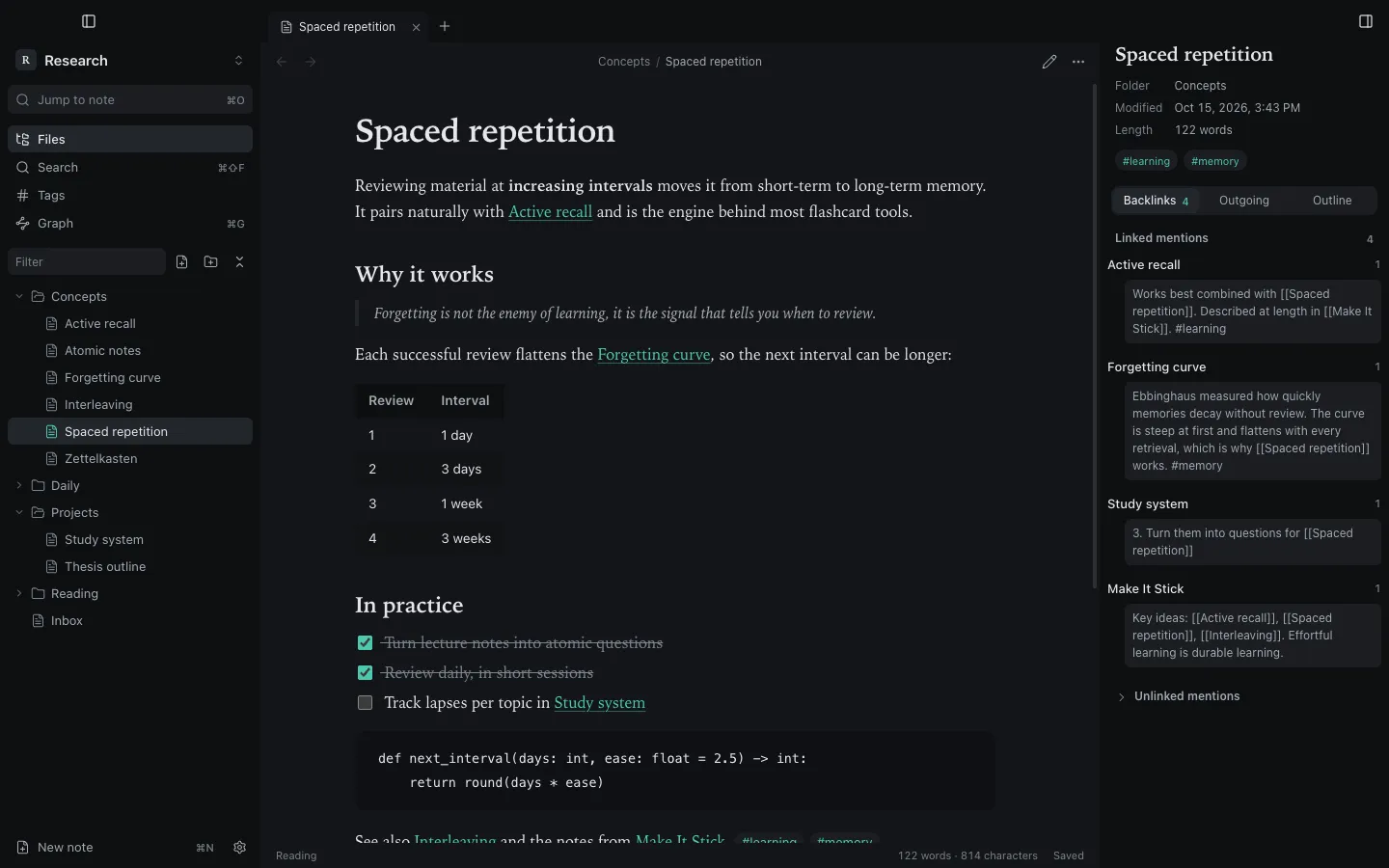
Press ⌘E to switch a tab between editing and reading. The default view for new tabs is a setting (Settings → Editor).
The reading view renders tables, code, quotes, embeds (![[note]], ![[image.png]]), math and clickable task lists. Clicking a checkbox updates the Markdown. Front matter is shown as a properties block at the top.
Code and diagrams
Section titled “Code and diagrams”From version 1.3.0:
- Fenced code with a language (for example
```js) is syntax-highlighted. - A
```mermaidblock renders as a diagram.
```mermaidgraph TD Idea --> Draft --> Note```Raw HTML
Section titled “Raw HTML”HTML written inside notes is shown as text, not rendered. This is deliberate, for security: a note cannot run scripts or inject markup into the app.
Still stuck?
Check Troubleshooting or open an issue on GitHub with your Synapse and macOS versions.
Synapse
MIT licence · Made for macOS